


Remediation
Panorama helps faculty identify and address accessibility issues within course files directly in D2L. After reviewing the accessibility report for a content item, you’ll see specific recommendations and guided steps for improvement. Many issues—such as missing headings, low contrast, or missing alternative text—can be resolved using Panorama’s built-in file remediation tools. This means you can correct many common accessibility issues without having to leave D2L.
Panorama supports remediation for various file types, including DOCX, PDF, PPTX, XLSX, and GIF. Review Panorama's Accessibility Checklist for the issues it can check by file type.
The Accessibility Report offers detailed insights into areas where your documents can be improved to meet accessibility standards. Integrated within these reports is the Remediation Engine, a built-in tool that allows you to address specific accessibility issues directly within D2L.
To access the Accessibility Report:
-
-
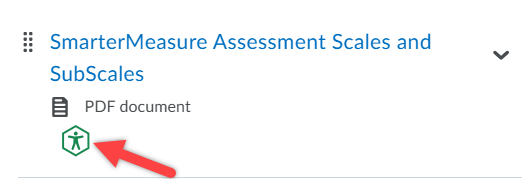
Click on the Panorama icon next to the content item, and then click Accessibility Report at the top of the Alternative Formats menu pop-up.
-
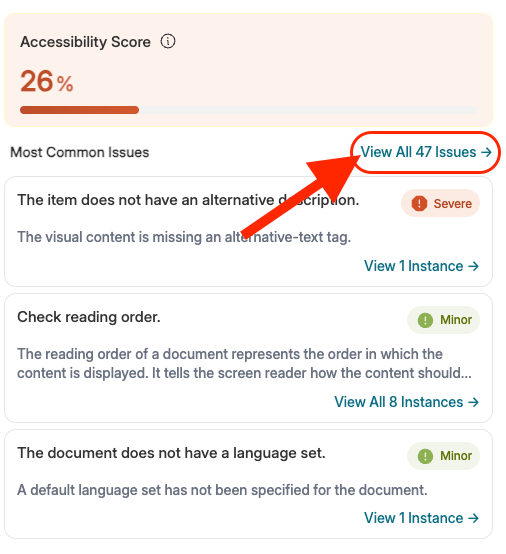
Once the Accessibility Report is launched it is recommended to click on "View All Issues" and work from there as that will show you everything in one spot as you get accustomed to navigating and remediatng your accessibility reports.
-
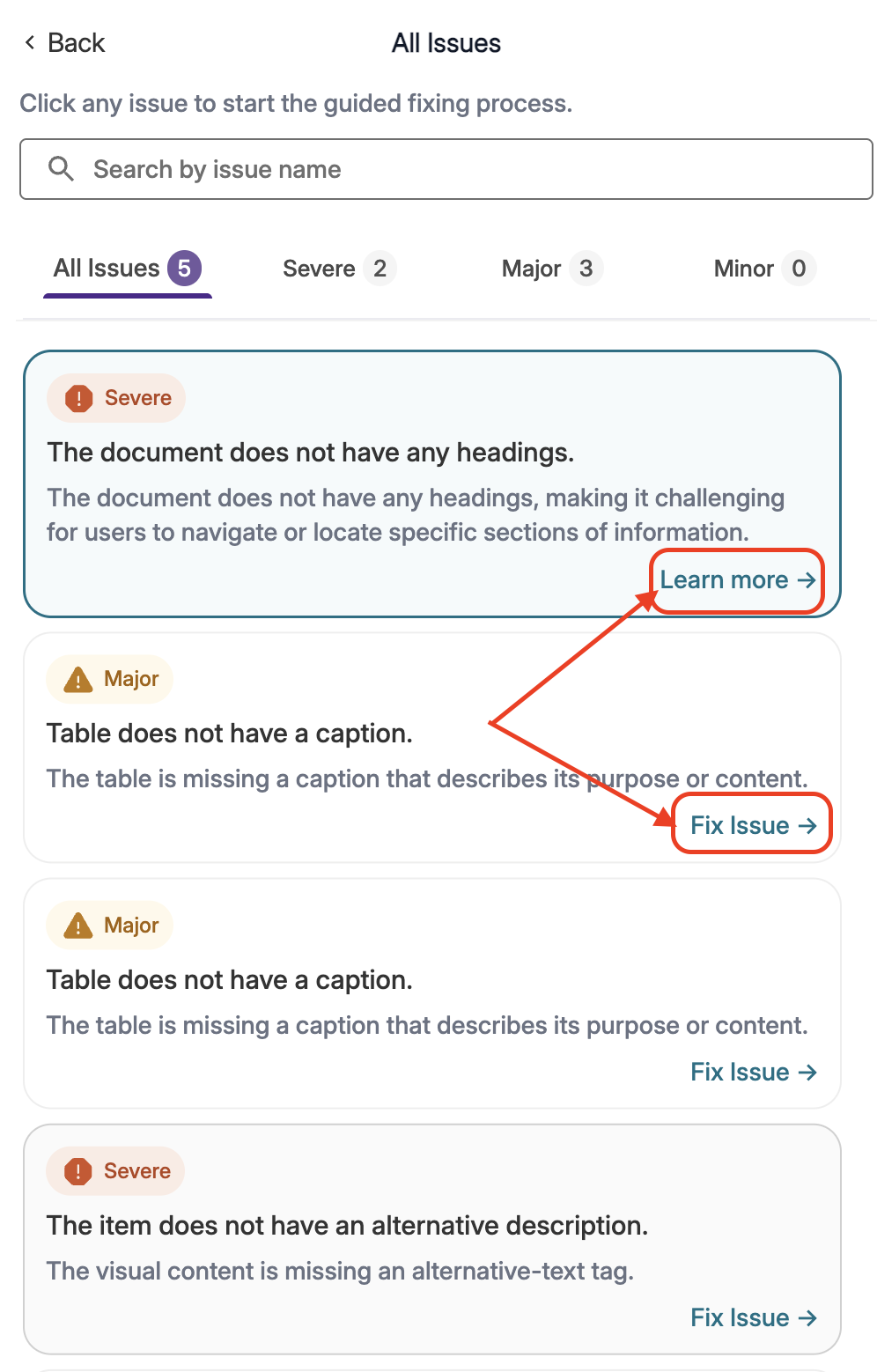
Each issue provides options for improving the accessibility which are dependent on the file type and error identified. In some cases you may be able to fix the issues in Panorama and in others it may simply only provide you guidance on how to go about fixing it but ultimately it will direct you on fixing or learning about the issues.
-
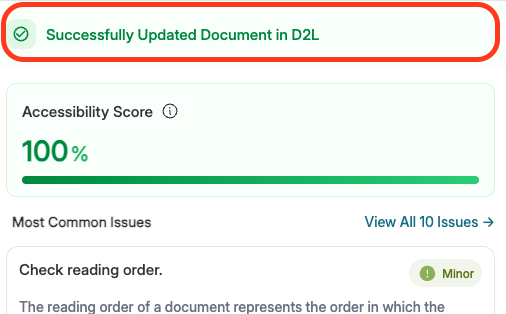
Once you have completed the remediation, scroll down and click "Apply Fix(es) to the Document". Look for your confirmation message "Successfully Updated Document in D2L" otherwise you may need to upload it manually.

-
Panorama’s PDF Structural Remediation feature is designed to improve the accessibility of PDF documents, specifically by identifying and correcting common accessibility issues in PDF files. This includes adding or adjusting headings, reading order, image alt text, and auto-tagging content. The tool provides a guided interface to make these changes directly within D2L, helping ensure that PDFs are more accessible to screen readers and other assistive technologies. While not all issues can be resolved automatically and within D2L, Panorama’s PDF structural remediation engine simplifies the remediation process and supports faculty in creating more accessible course materials.
-
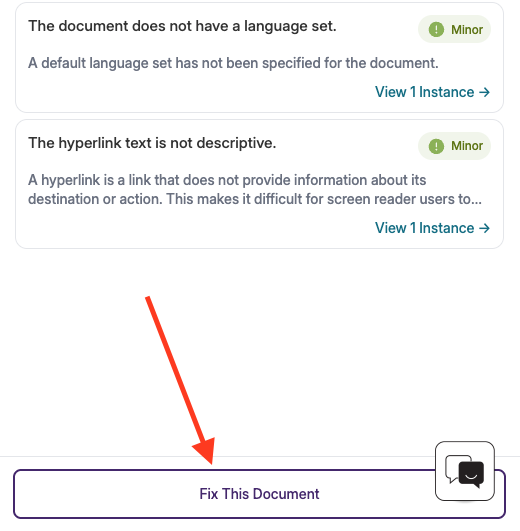
Locate the Structural Remediation button, click on "Fix This Document" in the Accessibility Report.
-
Then click on the button for "Edit Structure with Structural Remediation".
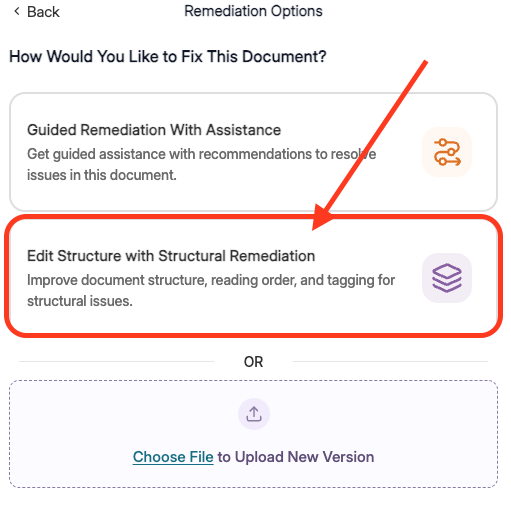
From this section, you can retag the PDF and make additional accessibility adjustments,
such as confirming the correct reading order. This support resource provides more guidance on PDF remediation.