


Alternative Formats
Instructors and students can access alternative file formats that better suit their individual learning preferences. This applies to both uploaded documents and course content.
Panorama’s Alternative Formats feature, available directly within D2L Brightspace, automatically generates these formats. Instructors also have the ability to toggle alternative formats on or off for students.
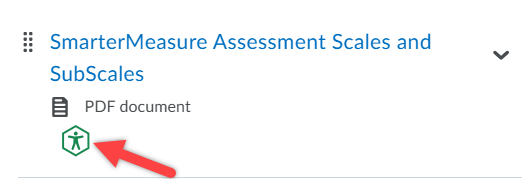
To view the Alternative Formats menu for an item in your course, click the Panorama icon as shown below.
The layout has since updated so make sure you become aware of the Alternative Formats button located at the top left of the menu that opens.
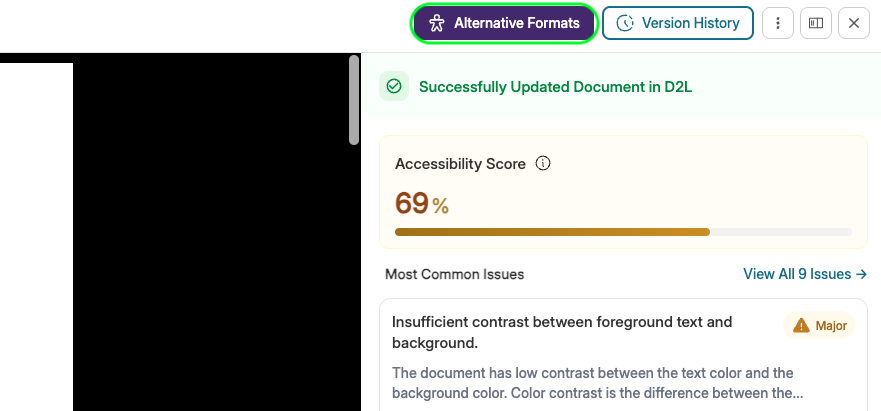
Alternative Formats Menu
Below is the Alternative Formats Menu as shown in D2L, followed by the a complete
list of available Alternative Formats.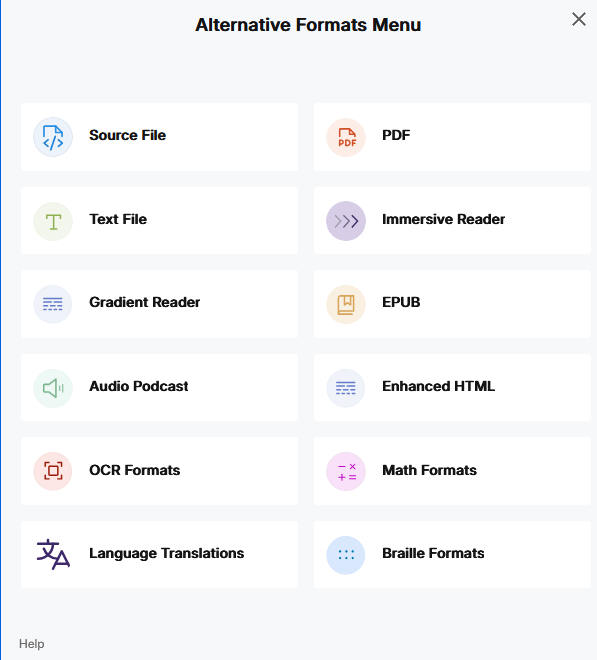
View the document in its original format, suitable for download viewing.
View the document in a pure text format without any formatting styles, suitable for both online and download viewing.
Enhances visual word recognition when reading by providing a guiding color gradient.
Audio playback for documents, suitable for both online and download listening.
Convert images with text into machine-encoded text that can be searched and read by screen readers.
- OCR Overlaid Tagged PDF: Generate a tagged PDF that allows for selectable text overlaid on the original scanned document or image.
- OCR Reconstructed DOCX: Generate a brand new DOCX file from scanned documents or images.
- OCR Reconstructed Tagged PDF: Generate a brand new tagged PDF from the scanned document or image.
- OCR Reconstructed HTML: Generate a brand new HTML file from scanned documents or images.
- OCR Text: Recommended for those who’d like plain text, the OCR tool will extract and display text within images and GIFs as a TXT file.
- OCR Audio: Extract text within images and GIFs into an MP3 text-to-speech audio player.
- OCR Semantic Text: Converts scanned text into readable, structured text while preserving context and layout.
- OCR Semantic Audio: Transforms scanned text into audio with natural intonation and emphasis, enhancing listening comprehension.
Translate a document automatically to over 100 languages, which can be downloaded.
View the document in PDF format, suitable for both online and download viewing
Allows for customizations to text preferences, grammar options, and reading preferences while following along with the audio playback.
View the document in the ebook format, suitable for any ebook reader application
HTML documents can be displayed in a dedicated tab to customize the appearance of the document using the Website Accessibility tool.
Convert documents containing math equations into LaTeX, Math Text (i.e. numbers and symbols to words), or MP3 files.
- Latex: Convert documents into LaTeX document format.
- Math Text: Convert documents into printed English, including numbers and symbols.
- Math Audio: Convert documents to MP3.
- MathML: Extract mathematical equations from documents and convert them into HTML files.
View the document in the braille grade 2 format, suitable for download viewing (a braille reader is required)