


Honorlock Exam Results & Data
After proctoring concludes, review the identity verification information provided by each student. Honorlock will email you a results summary for the exam flags; however, additional details and reports are available in Honorlock. You will also be able to view the recording of each student's exam session. In the event the connection to Honorlock is interrupted (by an internet degradation issue or outage), Honorlock will revert to fail-safe image capture instead of video capture. When this occurs, a still image of the webcam and the screen will be taken every 10 seconds. All normal AI functionality and flags work as expected. It is ultimately up to you to decide if there were any instances of academic misconduct. Honorlock is there to help you make an informed decision.
- How to View Your Honorlock Results
- Tips for Reviewing Proctored Exam Results
- Viewing a Summary Report
- Interpreting Violations and High Flags
Course Analytics
Honorlock Course Analytics provides a clear, course-level view of testing behavior, helping faculty monitor trends, identify concerns, and take timely action. Direct access to course data allows you to track violations, review activity, align with best practices, and intervene early to address potential issues.
Key Features
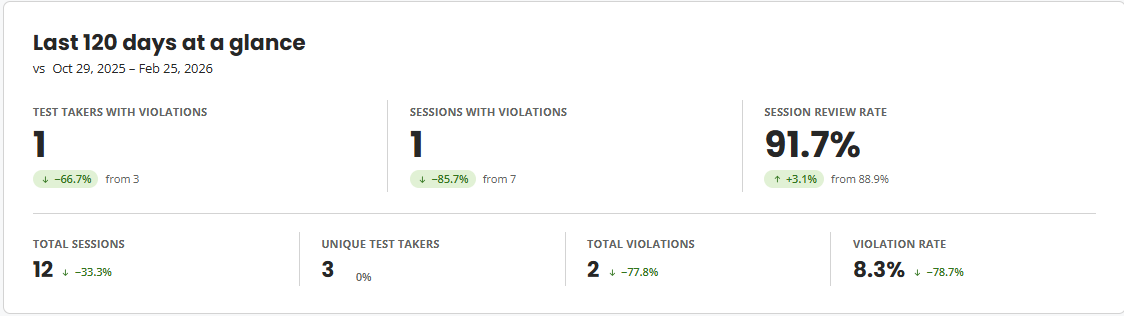
At-A-Glance Course Statistics
Once you access Honorlock in D2L, locate the 'Analytics' tab. At the top of the page, there is a summary of key metrics, including:
-
Data from a selected time period (e.g., last 120 days)
-
Comparisons to a previous equivalent period
-
Trend indicators
-
Total counts and percentages
These insights help you quickly understand how activity in your course is changing over time.
Violation Trends
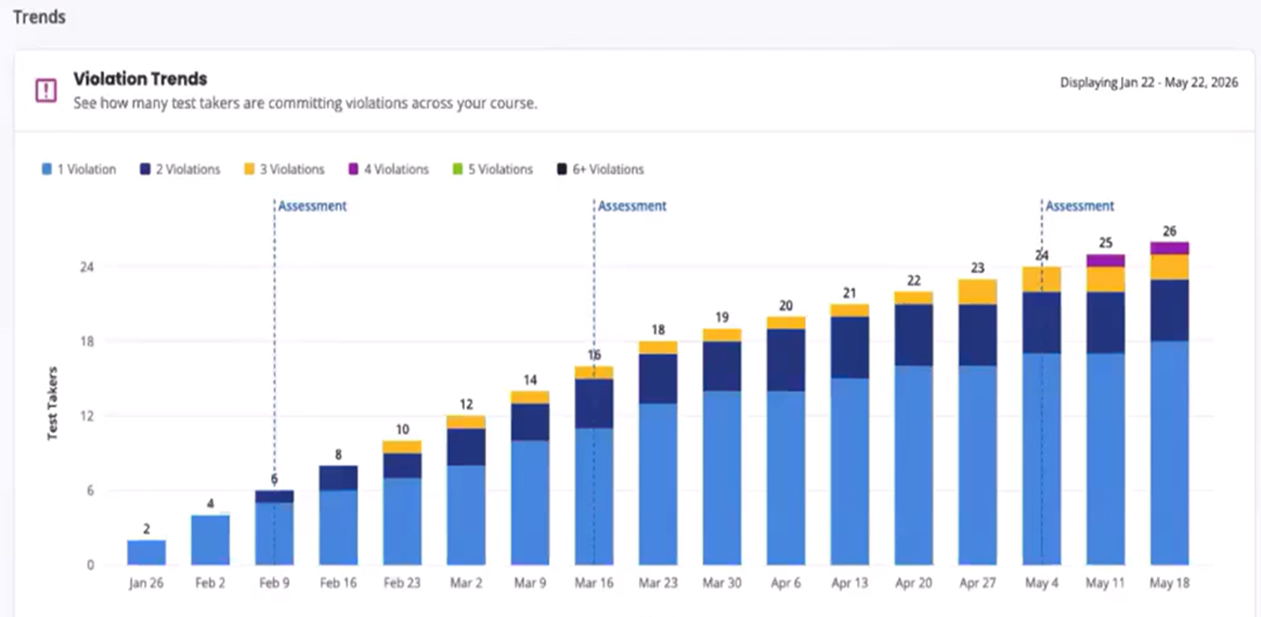
The Violation Trends section provides a visual breakdown of how violations evolve throughout the semester. Each exam contributes to the trend and colors represent the number of violations per student, with light blue representing the first violation and additional colors represent repeated violations. It is important to note that growth in first-time violations is expected as exams progress, however, increases in repeated violations indicate unaddressed behavior. If students receive violations on multiple exams, this may signal a need for early intervention.
Review Trend
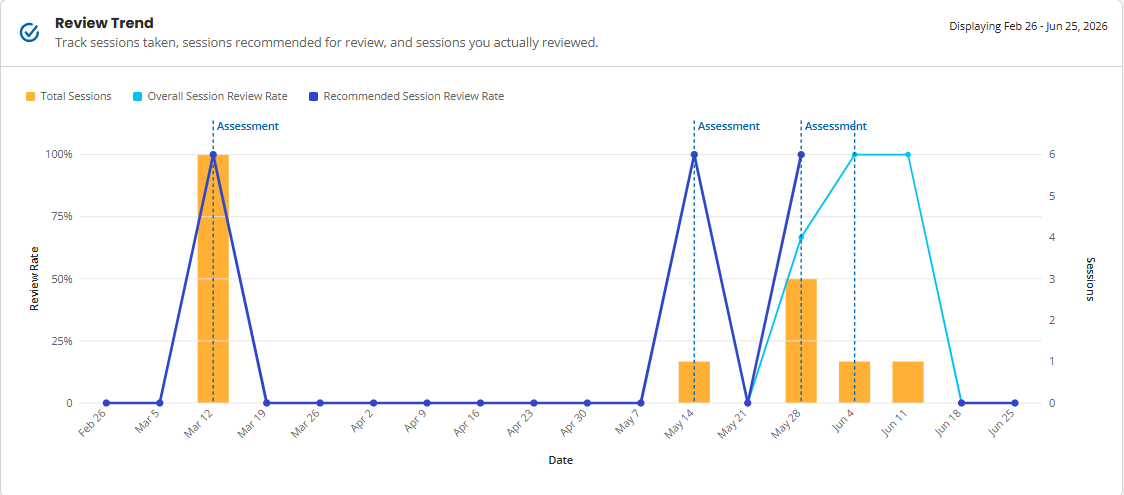
This section shows how consistently exam sessions are being reviewed. The Recommended Session, the purple line, highlights sessions flagged by Honorlock, for example, violations and high-risk behavior. These sessions should be prioritized for review. It is always good to aim for a review rate close to 100%. This ensures all flagged sessions have been reviewed and addressed.
Integrity Funnel
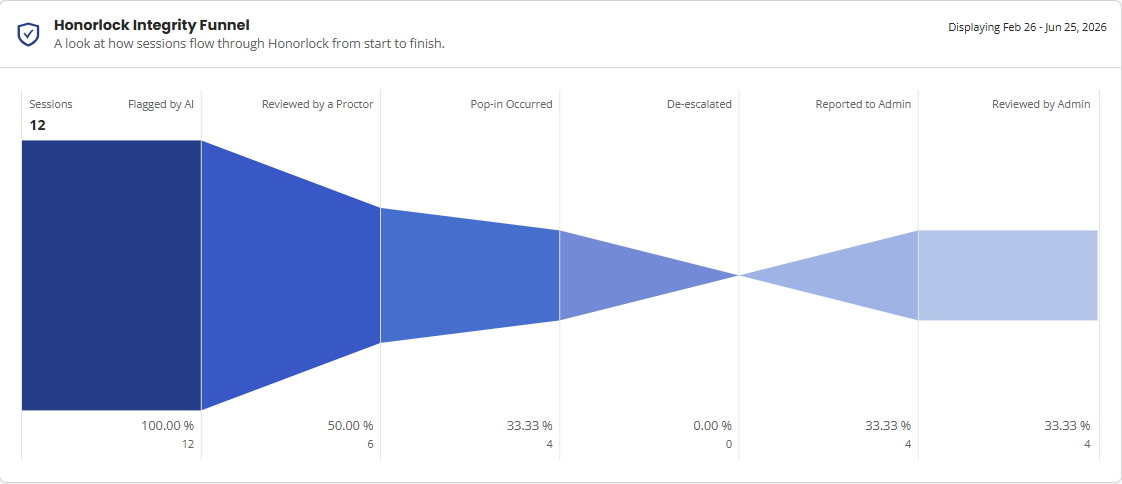
This section provides a high-level view of how flagged activity progresses to help you understand how potential issues move through the review process within your course. This ranges from AI-generated flags, sessions escalated for review, and instructor-reviewed cases.
Test Takers with Violations
This tab provides a cumulative view of student violations across the semester. This displays each student's name and their total number of flagged sessions and highlights patterns of repeated violations. A student with multiple violations across exams may need outreach or intervention, and reviewing these trends early can prevent escalation.
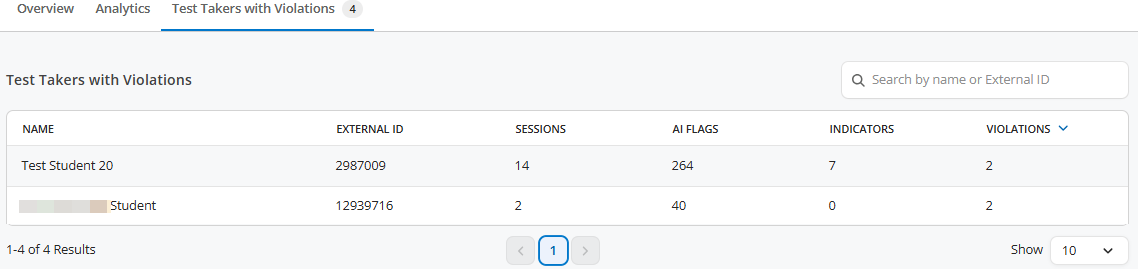
It is recommended that intervention occur early in the semester (e.g., after a second violation), rather than waiting until patterns become widespread.