


Getting Started with D2L Brightspace
Desire2Learn Brightspace, better known as D2L, is Austin Peay State University's learning management system. It's the online course platform where you interact with your classmates and your instructor, submit assignments, take quizzes, and check your grades.
This guide walks through D2L one tool at a time. Each section explains what the tool is for and links to short video tutorials that show you how to use it. If you're new to D2L, start with this overview video, then jump to the tool you need below.
D2L Tools and Video Tutorials
D2L Homepage
The D2L Homepage is the first screen you see when you log in to D2L. All of your courses are listed here, as well as support links and campus-wide announcements.
Course Homepage
The Course Homepage is the main page of each course. The navigation bar at the top of the page takes you to the course's tools, including Content, Assignments, Quizzes, and Discussions.
Content
Content is the hub of your course. It holds the list of assignments plus the materials your instructor wants you to read, watch, or listen to.
Assignments
The Assignments tool is where you submit your work, usually by uploading a document.
Quizzes
Instructors use the Quizzes tool to test your mastery of course material with multiple choice, short answer, matching, and other types of questions. The main Quizzes page lists each quiz with its dates.
Discussions
The Discussions tool is a message board for your course. Post your thoughts and reply to your classmates and instructor.
Grades
The Grades tool shows any grades you've been assigned in D2L. These aren't your official grades. Midterm and final grades will be officially recorded in Self Service.
Media Library
The Media Library provides a centralized location to process, store, and stream audio and video content. Any media files you upload or create are saved directly in the Media Library repository.
ePortfolio
ePortfolio is a personal portfolio tool for storing, organizing, reflecting on, and sharing items that represent your learning and mastery in certain areas. Within the tool you can include documents, graphics, audio files, videos, presentations, and course work.
Brightspace Learner Library
Check out the complete up-to-date tutorial playlist for learners on Brightspace D2L's Youtube Channel.
Pulse App
Media Library
Media Library is a place where you can view and organize recorded audio and video within D2L.
Add Media
Use Media Library to record and upload audio and video content in D2L.
Submit Media for a Grade
Use Media Library to insert audio or video clips for assignments and discussions in D2L.
Add Captions
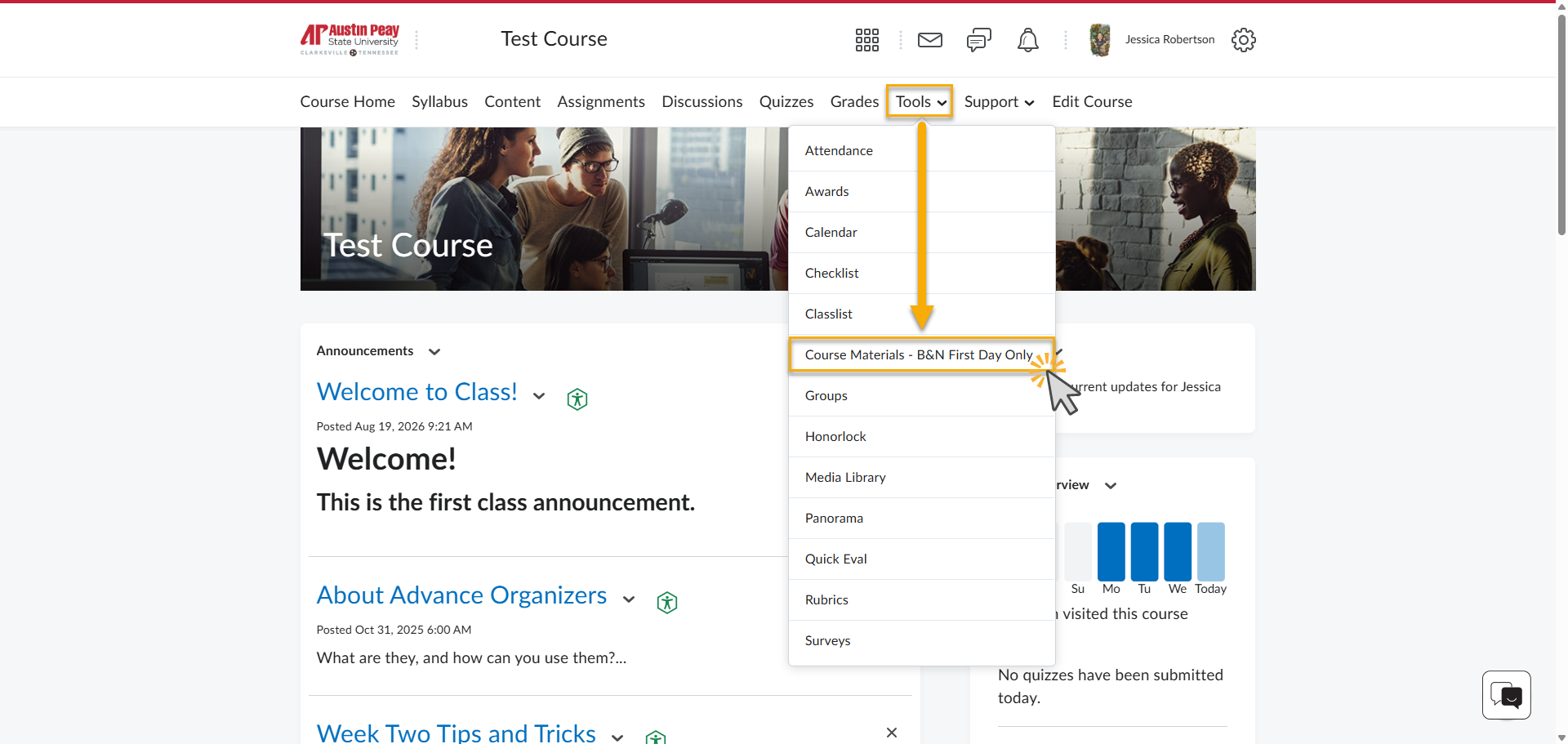
Barnes & Noble First Day Textbook Program
First Day is Barnes & Noble College’s inclusive access model that allows students to have access to digital versions of a physical textbook that is fully integrated within D2L. Here are some things to keep in mind regarding First Day access:
-
Courses that use First Day access will usually have the cost of the digital course materials included in your semester charges
-
If you choose to use the digital textbook, you will be able to access that specific textbook through the associated course in D2L
-
If you prefer to use a physical textbook, you may opt out of the purchase by the deadline listed for that semester
Distance Education is available and willing to provide any support within D2L regarding technical issues that occur when trying to access your digital text. However, if you have any questions regarding the purchase of the textbook you will need to reach out to the Ann Ross Bookstore.
Need Help?

The Distance Education Support Desk is the designated APSU support branch exclusively for D2L-related issues.
For 24/7 technical support provided by D2L, simply click the chat icon located on the bottom, right-hand side of your screen when logged into D2L to access the Virtual Assistant.