Qualtrics

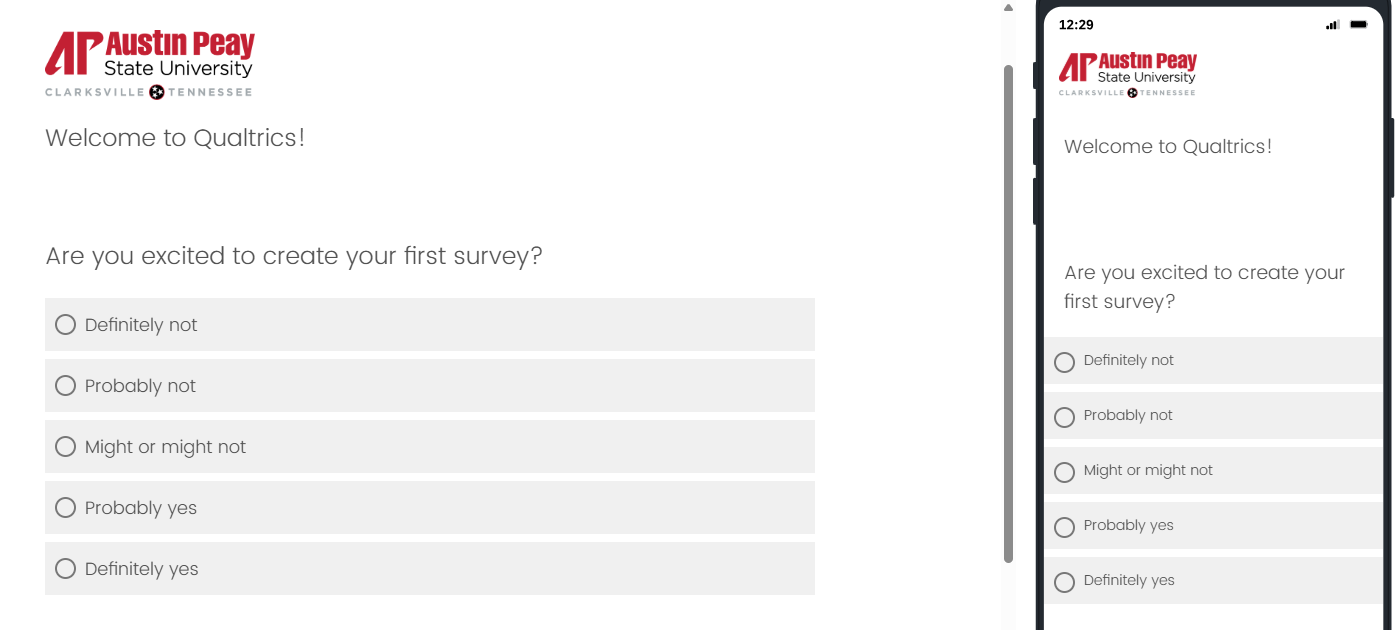
screen shot of a Qualtrics survey

What is Qualtrics?

Qualtrics is Austin Peay’s online survey tool. Qualtrics is a web-based platform that allows the university community to build and distribute surveys and analyze responses.

  • Design surveys with an intuitive drag-and-drop tool, multiple survey templates, and various question types.

  • Reach respondents wherever they are with the ability to access surveys on mobile devices, apps, websites, and more

  • Share surveys with the APSU community to collaborate on ideas and work on projects.


How to access Qualtrics?

  1. Step 1: Use the APSU Qualtrics link Qualtrics (apsu.edu).

  2. Your username will be your email prefix only

  3. Your password will be your APSU single sign-on password.

  4. Once logged in, select No, I do not have an account.

  5. Once it shows that you have successfully created an account, click Sign-in. Read the Terms of Service, and Welcome to Qualtrics!

Qualtrics Terms of Use

Qualtrics Terms of Use

Effective August 1, 2026

Qualtrics is available for use by the Austin Peay State University (APSU) faculty, staff, and students in support of the university's educational mission and organizational goals. As such, by using Qualtrics, you agree to the following:

  • No individually identifiable high-risk confidential data 

    Qualtrics will not be used to collect individually identifiable high-risk confidential data as defined in University Policy.  Examples of this type of information include Social Security Numbers, credit card numbers, sensitive national security information, etc.

  • Human Subject Research Must Be Approved by an IRB

    In accordance with federal regulations and APSU policies, all research involving human subjects must be reviewed and approved by an Institutional Review Board (IRB) before commencing any research protocols with a subject. Information on IRB at APSU can be found on the IRB website.

  • Privacy must be protected

    All surveys must protect the privacy and confidentiality of students, employees, and other institutional information, as required by FERPA (privacy of student information), Tennessee privacy laws, and APSU policies. Although participants may complete Qualtrics surveys without the individuals explicitly having to identify themselves, the Qualtrics software stores identifying information in its databases. Consequently, Qualtrics cannot be used with guarantees of anonymity for your participants. The Office of Institutional Research will not release data from any instrument to a non-owner without the consent of the survey owner in writing or releases signed by survey participants before taking the survey.

  • Persons in sanctioned countries 

    The use of this product by anyone while physically in a sanctioned country is forbidden. Faculty, staff, and students from a sanctioned country may still use the software if they are not physically in that country.

  • Compliance with all other Laws and Policies

    Surveys must comply with all other applicable university policies and state and federal laws, including the federal laws for copyright and privacy and academic policies prohibiting academic dishonesty such as plagiarism.

  • Use is restricted to institutional, academic or research purposes. Services may only be used by students, staff or faculty of APSU. Commercial use of Qualtrics is prohibited and includes, without limitation, use of the Services on behalf of other institutions or entities for compensation.

  • All Qualtrics distributions must adhere to the institution’s survey protocol and email and communications policies.

  • Survey participants should be informed that their survey data will be stored on a third-party server and that, while the third party has agreed to keep the data confidential, APSU does not control the security of that server.

The Office of Institutional Research reserves the right to change, at any time, and at its sole discretion, this survey service and these Terms of Use. Notification of changes will be published on the Qualtrics service page.

I understand that the APSU Qualtrics survey tool may not be used to store or process individually identifiable high-risk confidential data as defined in University Policy. I understand that all uses of the APSU Qualtrics tool for human subject research must be approved by my IRB, and that I should consult with the Office of Research for more information.

Failure to comply with the described data protection requirements and university policy may result in disciplinary action up to and including termination of employment. Students may be subject to disciplinary action defined by the University's Code of Student Conduct.

Disclaimer

The surveys created, or the responses supplied, using the survey service do not in any way constitute official APSU content. The views and opinions expressed are strictly those of the survey’s authors. The contents of the surveys and responses have not been reviewed or approved by APSU.


Before sending any survey using your APSU Qualtrics account, make sure you review the Survey Protocol and Relevant Policy.


Resources and Training 

There are various ways to learn how to get the most out of Qualtrics. While APSU has its own landing page, you can utilize the main Qualtrics website www.qualtrics.com to answer any questions and utilize various resources

  1. Training & Certification

    • On-Demand Training (XM Basecamp)

    • Beginner Quick Start: New to XM Basecamp and Qualtrics

    • Click View All, and you will see a list of short training videos. If you would like to do more in-depth courses, there is a link to visit that page in the Qualtrics Quick Start description.

  2. Contact your Brand Administrator, Brandi Bickham, for one-on-one training.